
Set Up Your AI Workspace
Optional, one-time setup using the free Arc browser. Pin Claude, ChatGPT, Gemini, and Grok so everything stays one click away. No membership required — this page is 100% free.
Get Your AI Tools Open and Ready
Download Arc Browser — free at arc.net
Arc pins your AI tools to a permanent left sidebar so Claude, ChatGPT, Gemini, Grok, and Perplexity are always one click away — no searching through open windows or bookmarks.
Create free accounts on your four AI assistants
Sign up at claude.ai, chatgpt.com, gemini.google.com, and grok.com — all completely free, no credit card required. You only need an email address. No Perplexity account needed — you'll add it as a search engine inside Arc and use it without signing in.
Pin your four AI assistant tabs to the Arc sidebar
Open a new tab, type the AI site address, and press Enter. The site loads and a new tab appears at the bottom of the left sidebar. Drag it up to the upper section to make it permanent. Rename each one so you can tell them apart at a glance. Repeat for Claude, ChatGPT, Gemini, and Grok. For Perplexity, add it as a search engine in Arc instead — that way you can search it directly from the address bar without opening a separate tab.
Open a plain-text notepad alongside
Open Notepad (Windows) or TextEdit (Mac) alongside your AI window. AI chats on free plans are not saved permanently — copy any useful answer into your notepad before closing the tab.
Save the whole setup as an Arc Space
Create an Arc Space containing your five tabs plus your notepad. Name it "AI Workspace." From now on, opening that Space restores your entire setup in one click every morning.
Still prefer to use your own browser? No problem — head back to the Free Guide and continue there.
✅ This is what your finished workspace looks like
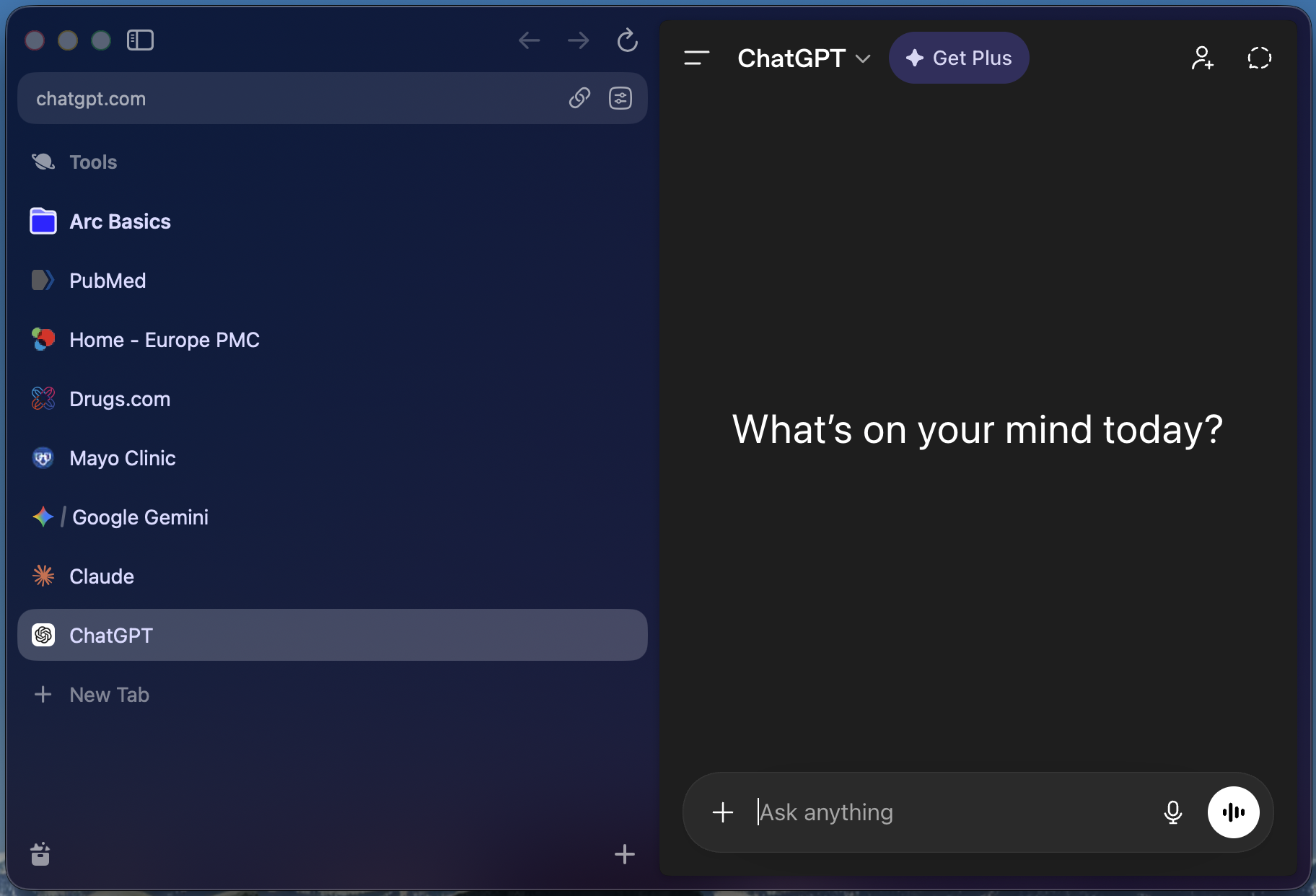
Arc browser with AI tools and medical research sites pinned permanently to the left sidebar — everything one click away.
Get Arc Browser — Free
The browser that keeps all your AI tools one click away. Available for Mac and Windows.
Download Arc — Free →Free · No account required · 5-minute setup